How to Check Call Detail Online Jio, Airtel, VI, BSNL – Check Your Call History and Download Call Records

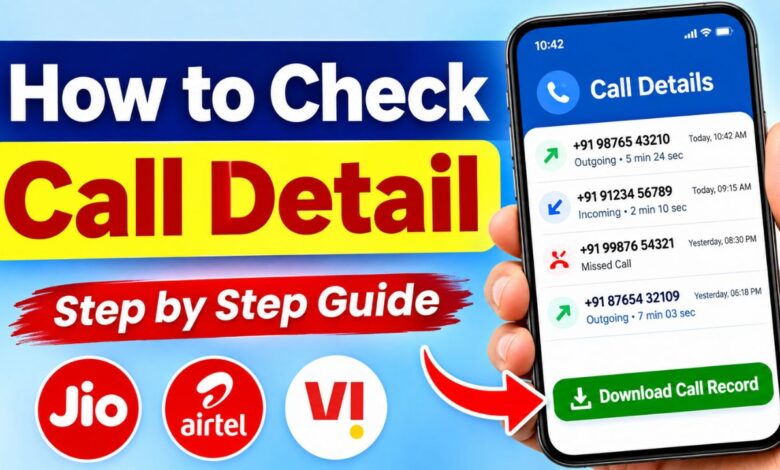
How to Check Call Detail: Sometimes we need to check our old call history to find a phone number, remember when we called someone, or check how long a phone call lasted. But many people don’t know how to check their call details or where to find their old call records.
If you are also looking for a way to check call details online, this article will help you understand the complete process. You can learn how to check incoming calls, outgoing calls, missed calls, call duration, and available call history using your mobile phone or telecom operator’s official app.
The best part is that you don’t need to install any unknown application or visit an unofficial website. You can use your mobile’s call history or your SIM operator’s official services to check the records available for your own number.
In this article, we will explain the process step by step in simple language.
What Are Call Details?
Call details are the basic records of phone calls made or received through a mobile number. These records help you see information about your previous calls.
Depending on your phone and mobile network operator, call details may include:
- Incoming call history.
- Outgoing call history.
- Missed calls.
- Phone numbers involved in calls.
- Date and time of calls.
- Call duration.
- Available call records for a selected period.
Please remember that call details are different from call recordings. Call details generally show information about a call, not what two people said during the conversation.
How to Check Call Detail of Your Mobile Number?
There are different ways to check your call details. You can use your smartphone’s Phone app or the official app of your SIM operator.
Here are some easy methods.
Method 1: Check Call History Using Your Phone
This is the easiest method if you want to check recently received or dialled calls.
Follow these steps:
- Open the Phone app on your smartphone.
- Tap on the Recents or Call History option.
- You will see a list of recent calls.
- Tap on any phone number or contact name.
- Select the information icon to view the call date, time and duration, if available.
You can also check missed calls from the same section.
Note: This method only shows the call records available on your device. If you have deleted your call history, you may not find those records here.
Method 2: How to Check Jio Call Details
If you are using a Jio SIM, you can check your available usage details through the official MyJio app.
Steps to Check Jio Call Details Using MyJio App
- Open the MyJio app on your mobile.
- Log in using your Jio mobile number.
- Complete the OTP verification.
- Select your Jio mobile connection.
- Open the Recharges & History section.
- Select My Statement.
- Choose the required date range.
- Tap on the View option to generate your statement.
- Download the statement as a PDF or send it to your registered email address.
You can generate a 30-day statement for a selected period within the last six months.
Important: Jio’s statement provides outgoing call, SMS and internet usage details. It does not include incoming call details. For incoming calls, check your phone’s call history.
Method 3: How to Check Airtel Call Details
Airtel users can check their available call and usage information through the Airtel Thanks app.
Steps to Check Airtel Call Details
- Open the Airtel Thanks app.
- Log in using your Airtel mobile number.
- Select your mobile connection.
- Go to the Bill & Plan section.
- Select the bill you want to check.
- Look for the Itemized Bill option.
- Download the bill to your mobile.
The itemized bill can show call-wise usage details, including call duration and applicable charges.
What About Airtel Prepaid Users?
If you are using an Airtel prepaid SIM, open the Airtel Thanks app and check the available usage and account information. If you need older call records, contact Airtel customer support and ask whether the requested records can be provided for your number.
Do not assume that every prepaid user can download a complete call-by-call statement through the app.
Method 4: How to Check Vi (Vodafone Idea) Call Details
Vi customers can use the official Vi app to check account and usage information. The available details depend on your connection type and billing service.
Steps to Check Vi Call Details
- Open the Vi app on your smartphone.
- Log in using your Vi mobile number.
- Go to the My Account section.
- Open Recharge History & Prepaid Bills.
- Look for the Email Bill option, if available.
- Register and verify your email address if required.
- Select the available billing month.
- Check your email for the bill or statement.
For Vi postpaid customers, you can also check your bill through the Bills and Payments section.
Method 5: How to Check Call Details Through Customer Care
If you cannot find your required call records through the mobile app, you can contact your SIM operator’s customer care team.
Follow these steps:
- Call the official customer care number of your SIM operator.
- Explain that you need call records for your own mobile number.
- Tell them the date or month for which you need the records.
- Complete the required identity and account verification.
- Ask about the available options for receiving the records.
Your operator will explain whether the requested records can be provided and how to receive them.
Here are the customer care numbers for popular Indian telecom operators:
| SIM Operator | Customer Care |
|---|---|
| Jio | 199 |
| Airtel | 121 |
| Vi | 199 |
| BSNL | 1503 |
Call charges and support options may vary.
Difference Between Call History and Call Details
Many people think call history and call details are the same thing. However, there is a small difference.
| Call History | Call Details |
|---|---|
| Available in the Phone app | Available through supported operator services |
| Shows recent calls | May provide a detailed usage statement |
| Includes incoming and outgoing calls | Depends on the operator and statement type |
| Can be deleted from the phone | May remain available in operator records |
| Usually shows call duration | May show date, time, duration and charges |
Can You Check Call Details of Any Mobile Number?
This is one of the most common questions people ask when searching for call details online.
The simple answer is No, you cannot access the private call records of any random mobile number.
Mobile call records contain private information. Telecom companies do not provide another person’s call history to everyone.
You can access records for your own number or an account you are legally authorised to manage. Access to another person’s records requires their proper permission or lawful authorisation.
Be careful of websites and apps that claim to show the complete call history of any mobile number just by entering a phone number.
Can You Check Deleted Call History?
Yes, you may be able to recover some deleted call information, but it depends on your phone and available records.
Here are some options:
- Check Google Backup: If your Android device has a suitable backup, some device data may be restorable.
- Check iCloud Backup: iPhone users can check whether an older backup contains the required call history.
- Contact Your SIM Operator: Ask whether the required call records are available through its official services.
- Check Other Devices: If you use the same account on another device, some synced information may still be available.
Remember that restoring an old backup may replace newer data. Always check your current backup before restoring anything.
Is It Safe to Use Third-Party Call Detail Apps?
You may find many apps and websites on the internet claiming to provide call details of any number. Some may ask for your mobile number, OTP, email address or other personal information.
You should avoid such services if they are not officially connected with your telecom operator.
Some possible risks include:
- Your personal information may be misused.
- Your OTP or login details may be stolen.
- Your mobile device may receive unwanted apps or files.
- You may lose access to your account.
Always use the official apps of Jio, Airtel, Vi or BSNL.
Important Tips Before Checking Call Details
Before requesting your call records, keep these points in mind:
- Keep your SIM card active and accessible.
- Use the mobile number registered in your name.
- Keep your registered email address updated.
- Never share your OTP with anyone.
- Download statements only from official operator apps.
- Check the required date range before requesting older records.
- Remember that incoming and outgoing call information may be available through different services.
Frequently Asked Questions (FAQs)
Q1. How can I check my call details online?
You can check your own call details through your SIM operator’s official app. Jio, Airtel and Vi provide different account and usage services.
Q2. Can I check call details of my Jio number?
Yes. Open the MyJio app, go to Recharges & History, select My Statement and choose your required date range.
Q3. Can I download call details in PDF format?
Yes. Some telecom operators provide downloadable statements or itemized bills in PDF format. Availability depends on your SIM operator and connection type.
Q4. Can I check incoming call details online?
Incoming call details may not be available in every operator statement. For example, Jio’s usage statement does not include incoming calls. You can check incoming calls in your phone’s call history.
Q5. How can I check Airtel call history?
Airtel users can check available usage information through the Airtel Thanks app. Postpaid customers can also download itemized bills from the Bill & Plan section.
Q6. Can I check call details without an OTP?
Online account access generally requires verification. This helps protect your mobile account and personal information.
Q7. Can I check someone else’s call details using their mobile number?
No. You cannot access another person’s private call records simply by entering their mobile number. Proper permission or lawful authorisation is required.
Conclusion
Checking call details is easy when you know the correct method. You can use your smartphone’s Phone app to view recent incoming, outgoing and missed calls. If you need more detailed records, you can check the official app of your SIM operator.
Jio users can generate usage statements through MyJio, Airtel postpaid users can download itemized bills, and Vi customers can check their available billing and usage information through the Vi app.
Always use official services to access your call records. Never trust websites or applications that promise to show anyone’s call history just by entering a mobile number. Keep your personal information safe and use only authorised methods.